
An Event Polling App for Live Polls and Surveys
Turn every session into a two way conversation. Your members vote and share feedback from inside your own branded event app, and your team sees the results in one place.
Live polls · Surveys · Your branding
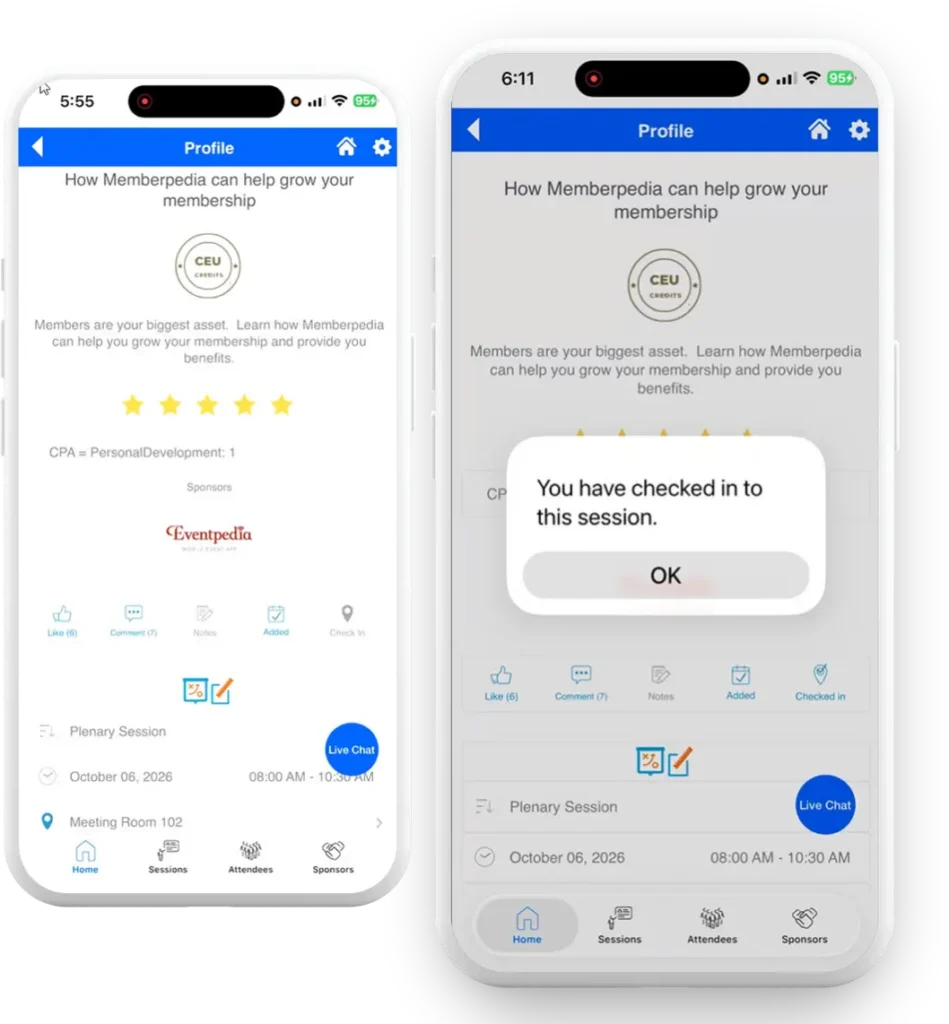
Polls and surveys built into your event app
Most sessions run one way. Speakers present and attendees listen. Feedback arrives later on paper forms or in post event emails, if it arrives at all.
Eventpedia puts polls and surveys inside your branded mobile event app. Attendees respond from their phones. Your events or education team builds the questions in the Mobile Content Manager and exports the results afterward. There is no separate polling vendor to add.
Associations use polls and surveys in education sessions and member meetings. Corporate teams can use them in town halls and sales kickoffs. Agencies run them across several client events under one branded app.
Everything you need to hear from the room
Every feature below is live in the platform today. Turn on what your event needs and leave the rest off.
Live polls
Ask a question and let attendees answer from their phones. Choose multiple choice with a single answer, or multiple choice with several answers.
Results
Embed single answer polls in your PowerPoint and project the results for the whole room.
Surveys
Collect session and event feedback with dropdown, scale rating, and text box questions, plus the same multiple choice options as polls.
Audience Q&A
Q&A is its own module. Turn it on for the whole event or for selected sessions. Attendees can ask anonymously, you can approve questions before they appear, and a moderator or the speaker logs in to answer.
Exportable results
Export poll and survey results to share with speakers, committees, and leadership.
Push notifications
Prompt attendees to answer a poll or finish a survey with announcements sent straight to their phones.
Also included: your own branding, gamification, multiple events under a single branded app, agenda and personalized schedules, speaker profiles, attendee networking, sponsor visibility, and analytics and custom reports.
Your questions, your branding, your control
Polls and surveys appear inside your own branded app, in your colors, your icons, and your theme. Attendees open an experience that feels like your organization, not a third party tool.
Your events or education team writes the questions in the Mobile Content Manager without a designer or a developer. When you need something we do not offer yet, the Eventpedia Team builds it. Custom development on request is part of how we work, not an upsell.
From setup to launch, without the wait
01
Configure
Build your polls and surveys in the Mobile Content Manager, our desktop admin platform. Our team helps with setup.
02
Brand
Apply your logo, colors, and icons so attendees open an experience that is clearly yours.
03
Launch
Attendees respond from their phones during the event, and you export the results afterward.
Unbranded apps can launch in days. A fully branded app launches in about one month when your organization already has Apple and Google developer accounts. Without those accounts, timing is harder to predict.
Results you can use after the event
Poll and survey results can be exported, so your team can share findings with speakers and committees and plan next year’s program with real input from attendees.
Your organization owns its data. Information is encrypted in transit and hosted on secured Azure infrastructure, and each client’s data is kept separate. Attendee information is never sold, you control which attendee details are visible, and data can be exported or removed on request after the event.
Polls run on top of the app. So do these.
Event teams rarely need only an agenda. Add the tools you need and keep everything in one platform.
Mobile Event App
The branded app that holds your agenda, speakers, networking, and sponsors.
Session Check-In
Record attendance for each session and export the results afterwards.
Lead Retrieval
Exhibitors scan attendee badges, add notes, and export leads as CSV or PDF. No rental scanners to ship back.
Print attendee badges on site, tied to the same attendee data as the app.
Attendance, engagement, and lead data all come from the same platform, so your team learns one admin system instead of four.
What changes when polls run inside your event app
With a separate polling tool
With Eventpedia polls and surveys
Questions event teams ask us
What question types are available?
Polls support multiple choice with a single answer or with several answers. Surveys include those two types and add three more: dropdown with a single answer, scale rating, and text box.
Can we show live poll results on the room screen?
Yes, for single answer polls. They can be embedded into your PowerPoint and projected for the room.
Can we export the results?
Yes. Results for both polls and surveys can be exported.
Is Q&A part of the polls module?
Q&A is a separate module. You can turn it on for the whole event or for specific sessions. Attendees can ask anonymously, you can approve questions before they appear in the list, and a moderator or the speaker logs in to answer.
How long does it take to launch?
Unbranded apps can launch in days. A fully branded app launches in about one month when your organization already has Apple and Google developer accounts. Without those accounts, timing is harder to predict.
Who owns the response data?
Your organization does. Data is encrypted in transit, hosted on secured Azure infrastructure, and kept separate for each client. Attendee information is never sold, and you control which attendee details are visible. After the event, data can be exported or removed on request.
See polls and surveys configured around your event
Book a live walkthrough with the Eventpedia Team. Tell us your event and your goals, and we will show you how polls and surveys would work for your attendees.
- A walkthrough built around your event
- Polls and surveys shown live
- Straight answers, no commitment


Smart event management for conferences and corporate meetings.
Contact Us
© 2026 EVENTPEDIA | All rights reserved